Add Mango to Claude
Mango works on your data, so connecting is per-user — there's no anonymous access. Pick the path for where you use Claude.
MCP Server URL
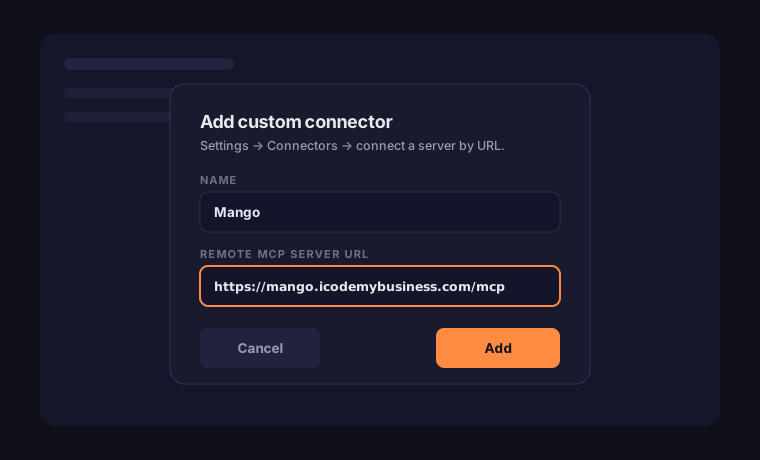
https://mango.icodemybusiness.com/mcp
Available now
Claude Code
Connect over HTTP with your Mango push key as a header:
claude mcp add --transport http mango https://mango.icodemybusiness.com/mcp --header "Authorization: Bearer mps_…"
Get your push key. Mint one with
python scripts/mint_push_key.py. Treat it like a password — revoke and re-mint anytime.
Rolling out
Claude.ai & Claude Desktop
No keys to copy — you authorize by signing in on the Mango site:
1
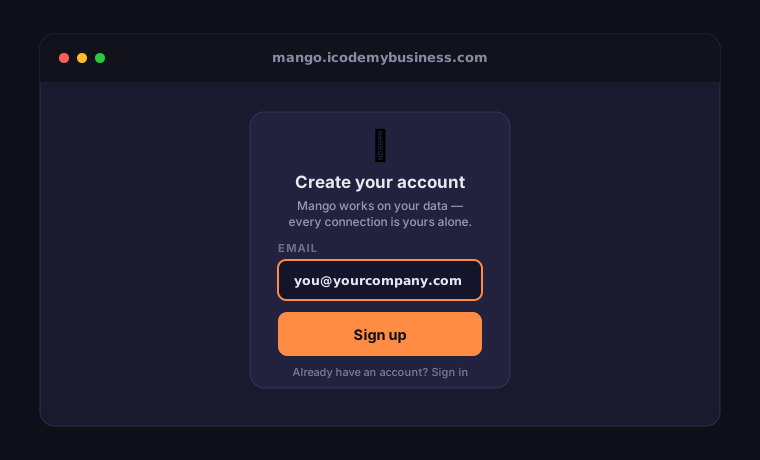
Create your Mango account
Sign up at mango.icodemybusiness.com (or sign in if you already have one).
2
Add the connector in Claude
Settings → Connectors → Add custom connector, name it Mango, and paste the URL above. (In some versions Connectors lives under Customize.)
3
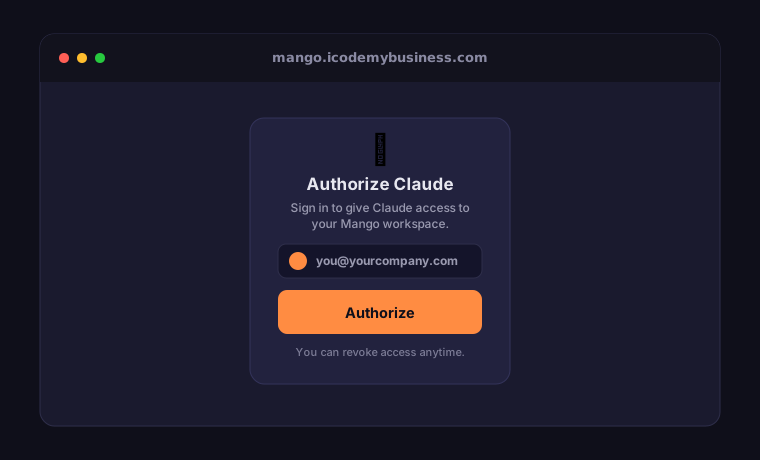
Log in on Mango to authorize
Claude opens mango.icodemybusiness.com — sign in and approve the connection. That links Claude to your account; nothing to paste.
4
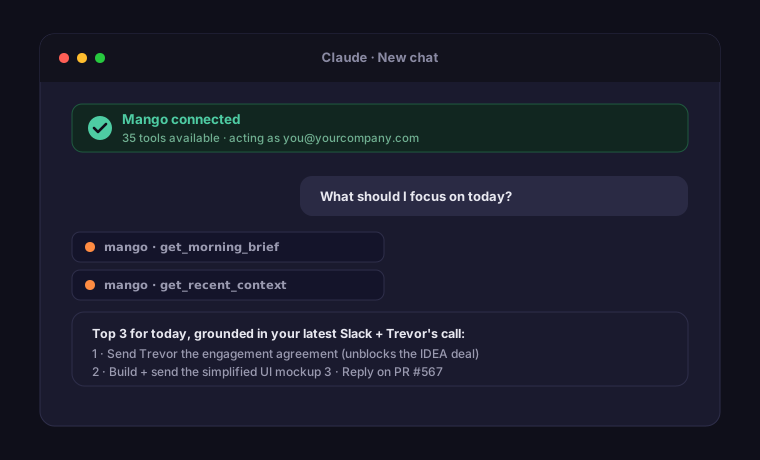
You're connected
Mango appears in your connectors, scoped to your data, in any chat.
Why sign-in, not an API key? Claude.ai and Claude Desktop don't accept a
pasted key for custom connectors, so Mango uses a sign-in-to-authorize flow. This path is rolling
out — use Claude Code above in the meantime.